GUIDE
Kia Connect User Guide (OTA)
Date: 03-10-2025
What is a Wireless Update?
A wireless update (OTA) is a method that uses communication technology to automatically update your vehicle with the latest software. Instead of downloading files to a USB memory or SD card for installation, the latest software is wirelessly updated when you start your vehicle.
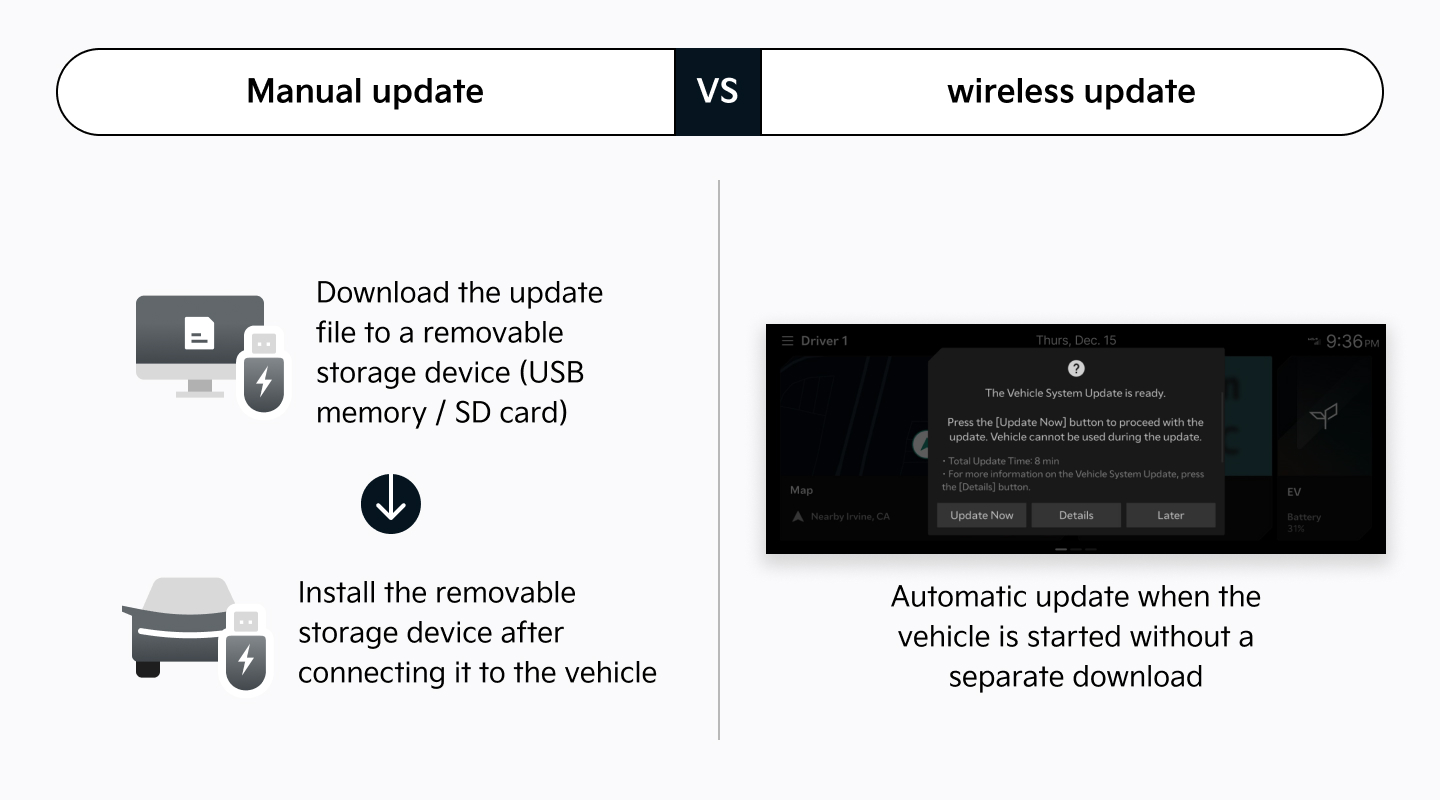
How Can I Use a Wireless Update?
To use this feature, you must purchase a vehicle equipped with Kia Connect (formerly UVO) and subscribe to the service.
-
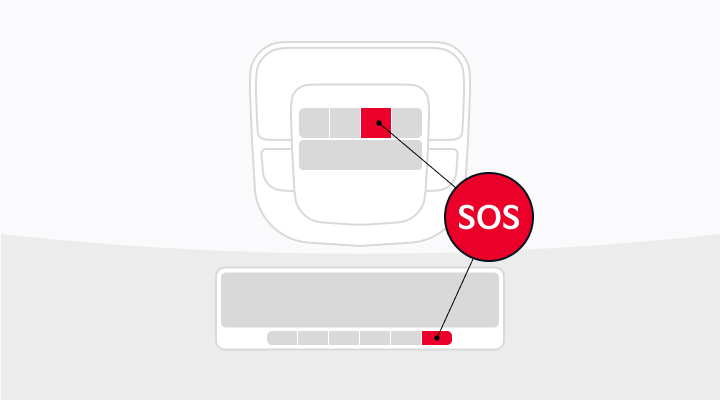
Checking if Your Vehicle Supports Kia Connect (formerly UVO)If your vehicle has an SOS button on the room mirror or overhead console, you can subscribe to Kia Connect (formerly UVO).
-
How to Subscribe to Kia Connect (formerly UVO)View detailed instructions for subscribing to Kia ConnectFor Individual/Business Vehicles
- If subscribing within the free period under the vehicle owner’s name: Subscribe via the mobile app (Kia Connect) or through the navigation system.
- If subscribing within the free period under a name other than the vehicle owner: Subscribe via the mobile app (Kia Connect).
- If not subscribing within the free period (e.g., purchasing a used vehicle where the free period is not transferable): Subscribe via the mobile app (Kia Connect).
For Corporate/Lease/Rental Vehicles- If subscribing within the free period: Subscribe via the mobile app (Kia Connect) or through the navigation system.
- If not subscribing within the free period (e.g., purchasing a used vehicle where the free period is not transferable): Subscribe via the mobile app (Kia Connect).
-
Setting Up Navigation
- In the navigation system, go to [Kia Connect (formerly UVO)] > [Kia Connect (formerly UVO) Settings], then select the [Subscribe to Service] button.
-
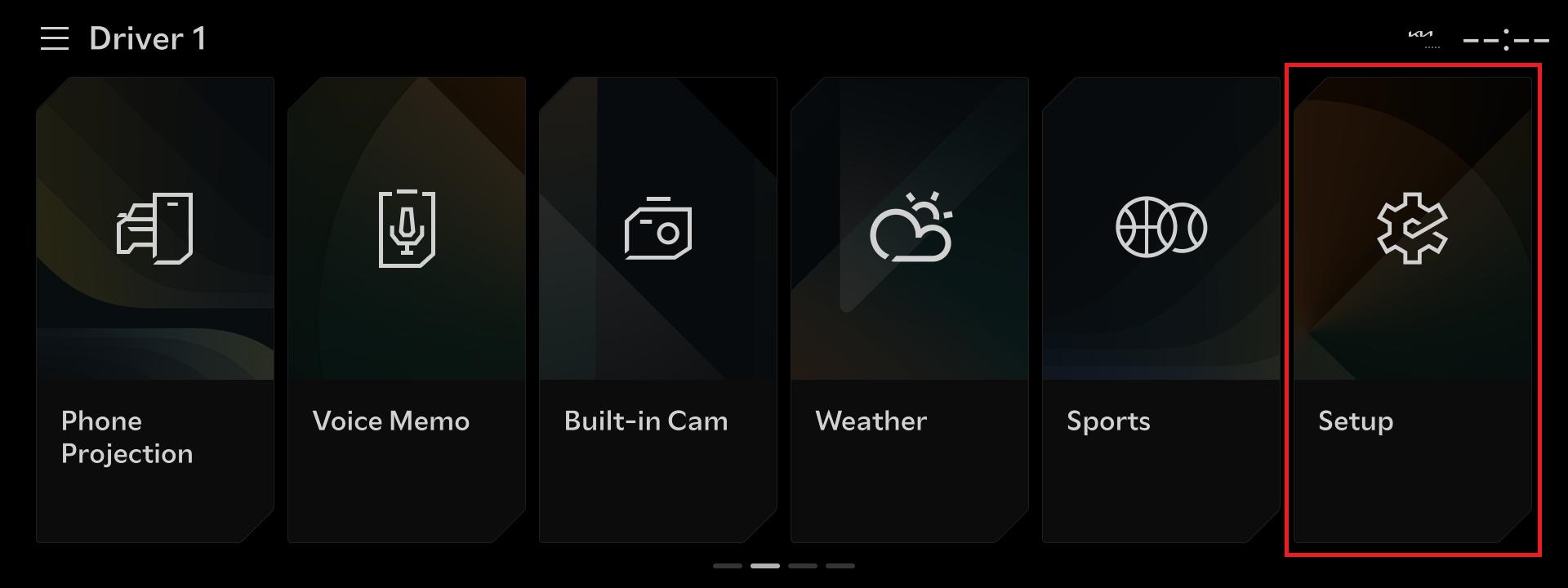 01. Select the ‘Setup’ button.
-
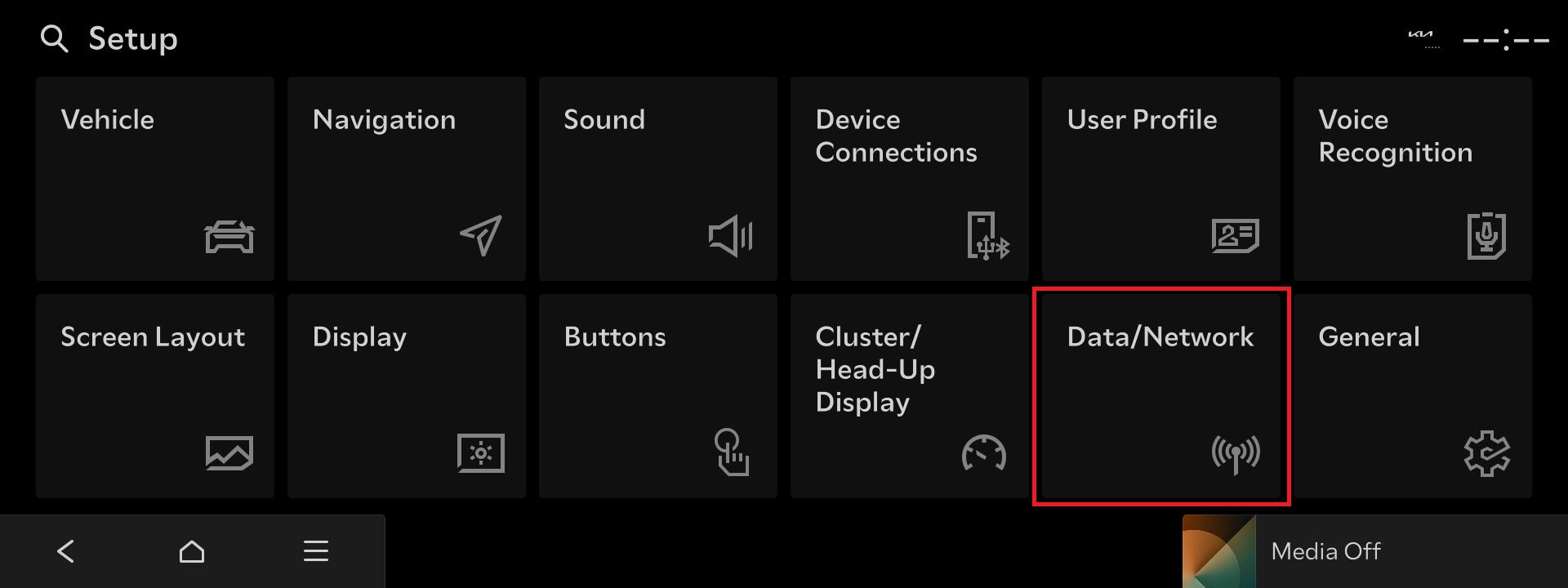 02. Select the ‘Data/Network’ button.
-
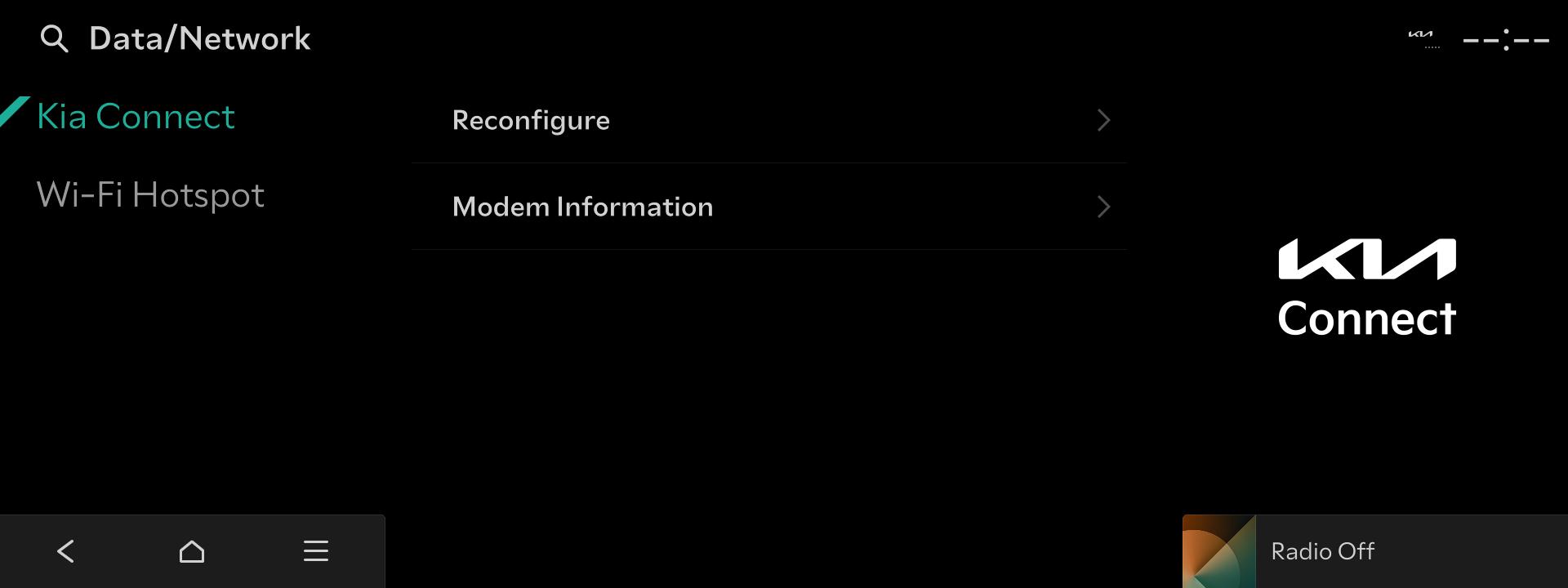 03. Select the ‘Reconfigure’ button.
※ For vehicle models that support navigation subscription, you do not need to proceed with the navigation setup in this step.※ While the navigation setup is in progress, the hard keys on the head unit will not function.※ The access path and menu names may vary depending on the vehicle model. -
Perform a Wireless Update
- If there is a new update available for your vehicle, the latest software will automatically be updated wirelessly when you start the vehicle.

Kia Connect is Kia’s connected
vehicle
service. In addition to wireless updates, it supports various features for convenient and safe vehicle use.
Learn more about Kia Connect
- Vehicle Care
- We will be a reliable primary care provider for your vehicle.
- Remote Control
- Conveniently control your vehicle using your smartphone and voice recognition.
- Safety and Security
- We will protect you reliably in accidents and emergencies.
- Navigation
- We will guide you to your destination quickly and accurately.
- Streaming
- Enjoy a variety of content through streaming in your vehicle without connecting your phone.
- Digital Key 2
- Register your vehicle to your smartphone or NFC card key to experience convenient vehicle control.